

Interactive mascots for OBS: a pet that reacts to your stream
A mascot lives in your scene: donations drop food into its bowl, it grows rounder as the goal fills, and viewers can pet it or make it meow straight from chat. A fundraising bar that reacts instead of a fundraising bar that fills. Two cats are built in, Pirozhok and Patata, with the same mechanics, and Bytey, a 3D robot, downloads from the screen where you pick a mascot.
Free — like everything that runs on your own PC.
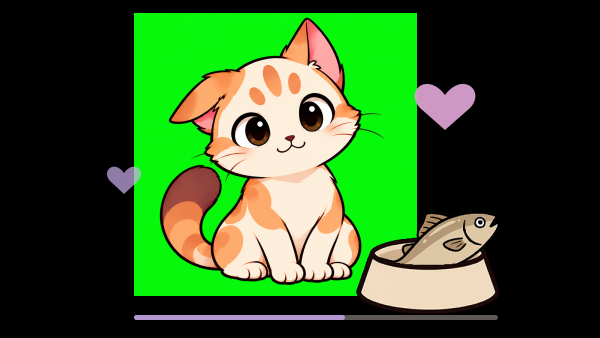
Treat him
Each treat fills the goal. Watch him grow rounder.
Say hello
Loading Pirozhok…
Two cats built in, and more to download
A mascot is a character plus the mechanics under it. The two cats share one set of mechanics; who stands in your scene is your choice, made when you create the widget.
- Pirozhok, a cat who enjoys treats, grows rounder with donations and reacts to attention.
- Patata, a cat with a bow whose fur and eye colours you pick yourself.
- Bytey, a 3D robot who dances to the sound of your stream and runs on a battery your viewers charge, downloads separately from the screen where you pick a mascot and has a page of his own.
- Each has lines of its own for every reaction, written for that character rather than translated between them.
- Several mascots can run at once, and they do not have to be the same character: two goals, two scenes, two personalities.
- New characters download separately from that same screen, and the widgets you already set up are not touched by them.
Your chat can touch it
Most overlays show things. This one answers: a chat command strokes the cat, a channel point reward opens his mouth, a new subscriber gets a line of his own.
- «!pet» out of the box, and the word is yours to change.
- The petting pause is counted per viewer, so the second person to try is never blocked by the first.
- Meowing has three triggers, set separately: a chat command, a Twitch reward and a Kick reward.
- Subscriptions are picked up from Twitch and YouTube, new followers from Twitch.
- Reactions queue instead of fighting. A donation goes ahead of everything waiting, nothing cuts off what is already on screen, and a busy chat only makes each turn shorter.
Donations arrive as food
Every donation drops something into the bowl, and what lands there depends on how much was sent.
- Nine treats: kibble, fish, lobster, burger, chicken drumstick, kebab, steak, shrimp and broccoli.
- Up to twenty thresholds, and the highest one a donation reaches decides the treat, so a big donation is visibly bigger.
- Money from every donation service you have connected counts, and one list of checkboxes decides which of them do.
- A minimum amount keeps small change out of the count when you want it out.
- A donation that gets revoked is taken back off the total.
The cat is the progress bar
Three thresholds give four shapes, from slim to perfectly round, and how far the goal has come is printed across the rim of the bowl.
- The thresholds are percentages of the goal and start at 20, 55 and 100.
- A real bar with a title and the amounts can stand under him, or be switched off so the cat is the only sign of progress.
- Reaching the target starts a short celebration.
- Hiding the bar does not stop the counting. Pausing the fundraiser does, and so does the switch on the mascot's row in the list: a mascot switched off leaves OBS, stops reacting and collects nothing, and switched back on it carries on from the same amount.
- Several mascots can run at once, each with its own goal, its own look and its own link for OBS.
He talks, in your words
Every reaction has a line, and every line can be rewritten. Leave one empty and the cat says the one that ships with the app, in the language the app is set to.
- The name of the viewer, the amount, the target and the percentage are filled into your phrases for you.
- Idle and sad phrases take one per line and play in order or at random without immediate repeats.
- Speech bubble, thought bubble, rounded card, or text with no bubble at all.
- Left alone too long without donations he goes sad, and attention cheers him up again.
- That timer is yours: set it to zero and he never sulks.
Making it look like yours
He sits in your scene for the whole stream, so he has to match it rather than merely work.
- Size and position of the cat, of the bowl and of the speech bubble.
- The cat's own colours: fur, markings and eyes for either character, and the bow for Patata.
- Fonts, colours, borders, shadows and corner radius for the bubble, the goal, the amounts, the bar, the bowl percentage and the petting caption.
- Blinking, breathing and tail movement can each be switched off on their own.
- The backdrop behind him stays off until you turn it on, so the overlay is transparent over your scene.
- Templates save a whole look and put it on the next mascot in one press.
What it is not
The cat reacts to your stream; he never takes part in it.
- He makes no sound. Meowing opens the mouth, and a delay setting lines it up with a sound your setup already plays.
- He never writes in chat. He answers in his own bubble and nowhere else.
- You pick a character from the ones we drew, and there is no field for a picture or a model of your own.
- Money is counted, never handled: viewers pay through your donation service exactly as before, and strAImer reads the event.
- Donations arrive over the internet like the rest of your stream, so there is nothing to feed him until a donation service is connected.
What it is made of
Each part is a separate module: you install only the ones you need, and any of them can be removed without breaking the rest.
Getting started
- Open Widgets → Mascot, press Create widget and pick the character.
- Copy the link from the list and add a browser source in OBS, 600 × 600.
- Set the goal amount and the food thresholds, then try them with the test buttons next to the preview.
- Turn on the petting command, and the meow reward if you want one.
Leave the backdrop switched off: the overlay is transparent, so the cat stands on your scene instead of on a grey square. The browser source only has to be 600 × 600, and where it sits is decided in OBS.
Works together with
Get strAImer
Everything on this page runs on your own computer — free, no account, nothing to connect.
Missing something here? Ask for it on the ideas board — votes show what people need most. Propose an idea