

Donations: seven services, one stream of events
DonationAlerts, DonatePay, DonateX, Streamlabs, StreamElements, Trula and StreamEngine all arrive as the same kind of event, converted into one currency — so alerts, goals, the auction and voice over do not care where the money came from.
Free — like everything that runs on your own PC.
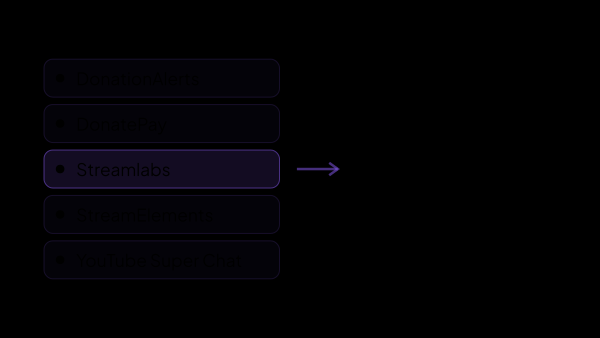
Everything that counts as money, in one list
A donation is a donation. Everything downstream — the alert, the goal bar, the bid in the auction, the line being read out loud — reacts to the event, not to the service that delivered it.
- DonationAlerts, DonatePay, DonateX, Streamlabs and StreamElements bring donations in as they arrive.
- StreamEngine brings paid on-screen effects and paid media requests as well as plain donations.
- Trula brings donations, including the ones a viewer pays to queue a track.
- Twitch Bits, YouTube Super Chats and YouTube paid stickers arrive as donations too, so they count towards the same goal.
- Several services run at once without conflicting, and adding one later changes nothing in what you already set up.
When a viewer pays for an action, not a transfer
Not every service sells transfers. On StreamEngine a viewer buys something that happens on your screen — flip it for ten seconds, blur the camera, break the video card — and on Trula they queue a track. The money is a donation like any other, but the amount on its own does not say what is about to happen.
- Where the service reports it, the alert names the purchase: "Screen Flip ×6 · 10s" next to the viewer.
- The events feed on the Dashboard shows the same line, live and in history.
- Statistics keeps it, so two purchases at the same price stay distinguishable later.
- Goals, the auction and the carousel ignore it on purpose: they work with the amount.
- StreamEngine names the effect it sold; Trula does not send the track title, so its music orders arrive as ordinary donations.
What happens without you touching anything
You do not write a rule for a donation. It arrives, and everything already listening reacts to it.
- The alert fires on the overlay — the name, the amount and the message.
- The goal bar moves, the auction counts the bid, and the donation drops into the carousel pot — the spin, and the challenge counter behind it, come once the pot reaches the amount you set.
- Voice over reads the message out loud, above the threshold you set.
- Statistics writes it into the totals for that stream and into the top donors.
- Your own scenarios run, if you wrote any.
What it will not do
Bringing the money in is the whole job. Anything that could quietly inflate a number is left out.
- It only receives: payouts, refunds and the page a viewer pays on stay with the service.
- Donations that arrived while the app was closed are not replayed as alerts — a morning start would run the whole night at once.
- The StreamEngine feed also carries Twitch, DonationAlerts and Trovo events. They are skipped on purpose, or one donation would be counted twice.
- A preview fired in the StreamEngine dashboard, and a free request, never reach the goal bar: money that does not exist has no business there.
- A test donation from the DonateX dashboard does reach the alerts — that is what it is for — and it arrives marked as a test, so anything that must not count it, the auction above all, leaves it out.
One currency, or the numbers stop meaning anything
Viewers pay in whatever currency their platform and their card give them, while a goal bar has to show a single number. That conversion is a module of its own, because getting it wrong quietly corrupts every total you look at afterwards.
- Three online rate sources with fallback, so one of them being down does not stop the count.
- Rates you set by hand for what no source knows — Twitch Bits above all, priced by what you are actually paid for them.
- The base currency is set once, in Settings → Localization, and everything else follows it.
- The goal bar, the auction, the carousel and the voice over threshold all read the converted amount, so a threshold you set means one thing regardless of what the viewer paid in.
History that does not have holes
The app is not running around the clock, and donations do not wait for it.
- The whole DonationAlerts history is imported once, on the first connection; after that the recent donations are checked against the service — twenty seconds after connecting and every fifteen minutes — so a night with the app closed does not leave a hole in statistics.
- That import goes straight into statistics rather than through the alerts: the totals are made whole without replaying last night on screen.
- StreamEngine payments made while the app was closed reach statistics the same way on the next start, without an alert. The StreamEngine feed only hands over its latest 25 events of any kind, so a long or busy break can still leave a gap. Goals, the carousel and the auction do not count these payments.
- Both imports skip any service you unticked under "Count donations from" on the Settings tab of Statistics, just as the live count does.
- If the socket falls silent while the connection still reads as live, the reconciliation proves it: the card says "Not receiving" and offers Reconnect.
What it is made of
Each part is a separate module: you install only the ones you need, and any of them can be removed without breaking the rest.
Getting started
- Set your base currency in Settings → Localization.
- Open Connections → Monetization and connect the services you actually use.
- If you take Twitch Bits, give them a rate in Settings → Currency Rates.
- Send a test donation and check it reaches the alerts overlay.
- Point goals, the auction and voice over at it — they listen already.
Seven services today, and the list grows from the same place: a new one is another connector, and everything downstream is already listening.
Works together with
Get strAImer
Everything on this page runs on your own computer — free, no account, nothing to connect.
Missing something here? Ask for it on the ideas board — votes show what people need most. Propose an idea