

Stream statistics: what each night actually brought
Every stream written down — messages, donations, subscriptions, bits, rewards, raids, followers, viewers — across Twitch, YouTube and Kick at once, so afterwards you can see which nights actually worked instead of trying to remember.
Free — like everything that runs on your own PC.
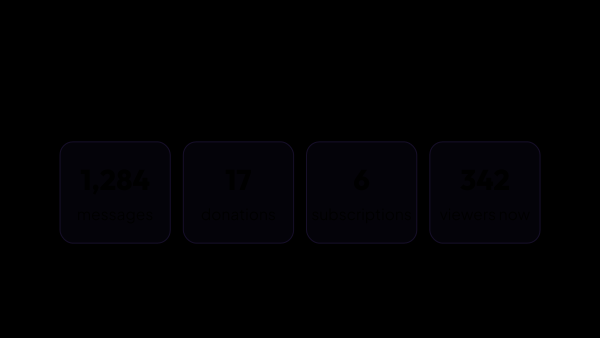
Everything a stream leaves behind, and this is the whole list
It is all counted across the connected platforms at once, so one evening is one record rather than three.
- Chat messages, with the top chatters of the evening.
- Donations — count and sum, with the top donors.
- Subscriptions, resubs and gifted subs, with the top gifters.
- Bits, with the top cheerers.
- Channel point redemptions — which reward, and how many points it cost.
- New followers, and raids with the number of viewers each one brought.
- Viewers over time and the peak of the evening.
- The games you played, in the order you switched between them.
- How long you were live, and which platforms the stream actually ran on.
What you can look up afterwards
None of this has to be set up: the answers are already there the moment the stream ends.
- Whether this evening was better than the last one, and whether that is a trend or a single night.
- Who carried a given evening — the top chatters, donors, cheerers and gifters of that stream, in its card.
- When the room filled up and when it emptied, stream after stream.
- How many followers an evening brought you, and which raid arrived with people.
- Which platform an evening actually happened on, when you go live on several at once.
Not a dashboard in somebody else’s cloud
The usual answer to this is a service you sign up for, upload to and pay for every month. This one is a section of the application you already have.
- The numbers live in the database on your own computer. No account, no subscription, and they go nowhere unless you put them into a backup yourself.
- One record per evening instead of one per platform: Twitch, YouTube and Kick end up on the same card.
- Donations from the services you use are counted too, not only what the platform itself knows about.
- A report in somebody else’s cloud cannot go on screen, and this database can: the Lists overlay puts the top donors of this stream, of the last 30 days or of all time straight into OBS.
A stream is detected by itself
You do not press start and you do not press stop — which matters, because the one evening you forget is the one you wanted to compare.
- Recording begins the moment any connected platform goes live, and the stream is closed when all of them are offline.
- Restarting the application mid-stream continues the same record instead of starting a second one.
- A short break does not cut the evening in two — a broadcast that comes back soon continues the same record.
- Donations that arrive outside a broadcast are saved too — they belong to you regardless of whether the camera was on.
A single answer to “are we live?”
Half the modules need to know whether the stream is running, and each of them guessing separately is how a bot ends up greeting an empty channel.
- Signals from Twitch, YouTube, Kick and OBS are combined into one flag other modules rely on.
- Timed messages can lean on that flag: turn on “Only while streaming” for a group of timers and it posts only where a platform is actually live — the switch is off by default, so until then the group writes to chat either way.
- OBS counts on its own: press Start Streaming and the application knows you are live even where no platform is connected through its API.
- A source that drops out for a minute does not end the stream — going offline waits out a pause you set, and a source you never want counted can be excluded.
- The start of a stream can post a greeting in chat — once per stream, in the chat of every platform that went live, and it can name the stream title, plus the game on Twitch and Kick.
Where you see it
The Statistics section, four tabs.
- Totals — a card for each of the 60 most recent streams, newest first; open a card for the top chatters, donators, cheerers and gifters.
- Data — the last 200 records: donations, subscriptions, bits, rewards, raids and followers, filtered by type when you are after one of them. Chat is counted and shows up in the tops, but its messages are not in this list.
- Charts — stream against stream by the metric you choose, and the viewer curve inside a single stream.
- A stream you made only to test something can be deleted whole — the card and everything recorded for it; a single wrong record can be deleted from the list, and the totals recalculate themselves.
- Settings — which donation services count towards the totals, and for how many recent streams the full text of the chat is kept.
What it is made of
Each part is a separate module: you install only the ones you need, and any of them can be removed without breaking the rest.
Getting started
- Connect the platforms you stream on, and OBS.
- Open Automation → Stream Status and write the greeting, if you want one.
- Stream as usual — recording starts by itself.
- Open Statistics afterwards and compare the evening with the previous ones.
Statistics start on the day you install: the past cannot be recovered — except DonationAlerts donations, which are pulled in with their whole history.
Works together with
Get strAImer
Everything on this page runs on your own computer — free, no account, nothing to connect.
Missing something here? Ask for it on the ideas board — votes show what people need most. Propose an idea